 OpenMoBu工具集
# OpenMoBu工具集
# OpenMoBu MotionBuilder 工具集
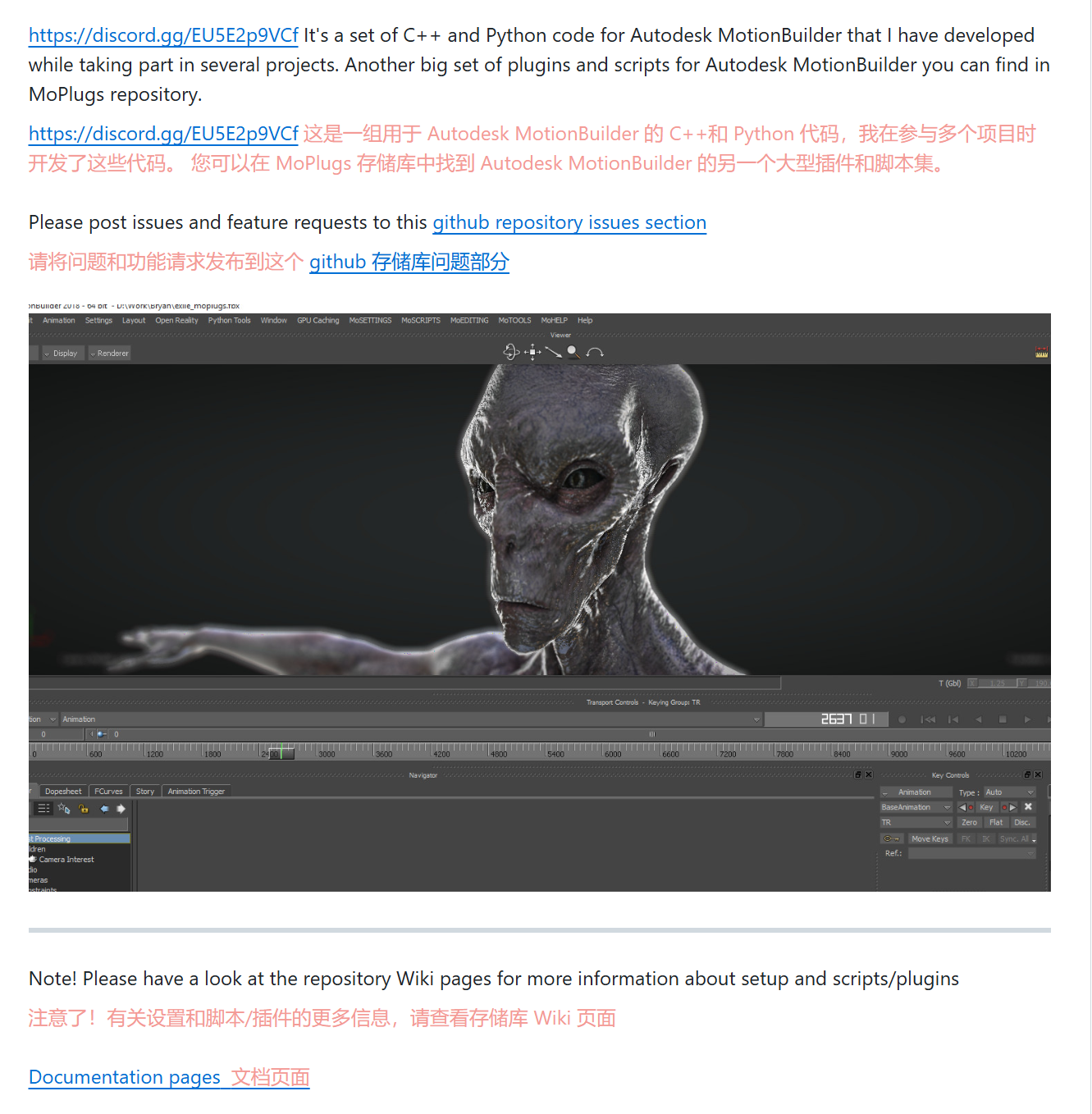
这是个开源的 MotionBuilder 的工具集合项目,该项目是作者在 【Les Androids Associes】 法国一家动画公司工作时开发的,很多工具也明显是服务于影视动画行业,如相机管理、渲染颜色ID、贴图混合、视口后处理、GPU粒子等等。
但也有不少非常有价值的 绑定 约束工具,如 RBF 驱动,attachment 锚点 (opens new window)约束,弹簧动力学,常用手臂手腕的twist 扭曲 (opens new window)等等,而且还是都是有源码的 cpp , python 工具,是很有学习价值的开源项目。
开源地址
GitHub - Neill3d/OpenMoBu: Scripts and plugins for Autodesk MotionBuilder (opens new window)
视频教程
Introduction webinar about OpenMobu And MoPlugs (opens new window)
- Part 1 - https://youtu.be/sgzunIbNcp4 (opens new window)
- Part 2 - https://youtu.be/5By9h3KO6JE (opens new window)
- Part 3 - https://youtu.be/OcH3vusjros (opens new window)
- Part 4 - https://youtu.be/qNmFzHt0O0w (opens new window)
# 安装
# 1.1 支持版本
下载1 Release 2024 · Neill3d/OpenMoBu · GitHub (opens new window)
下载2 https://sundaybox.cc/DownloadContent/MotionBuilder/Setup_OpenMoBu_2024_4.exe (opens new window)
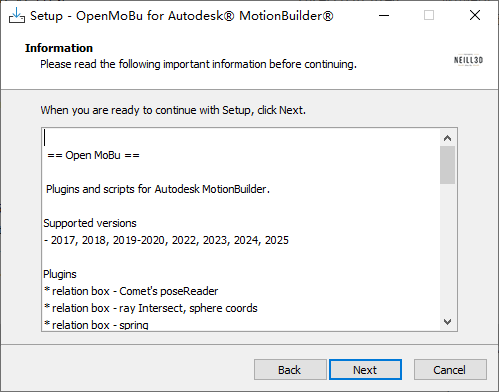
默认安装路径 C:\\Program Files (x86)\\OpenMoBu 该安装不会自动设置 Motionbuilder 的路径,需要自行设置路径。
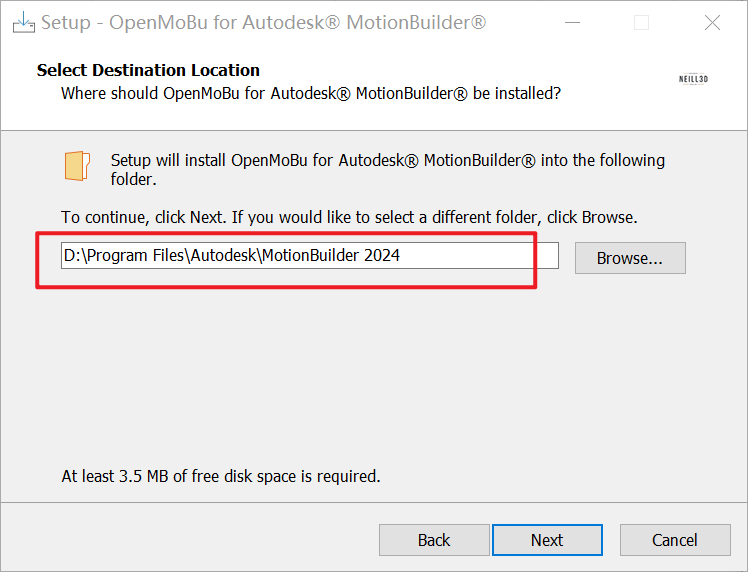
例如我安装到 2024,设置的路径是D:\\Program Files\\Autodesk\\MotionBuilder 2024
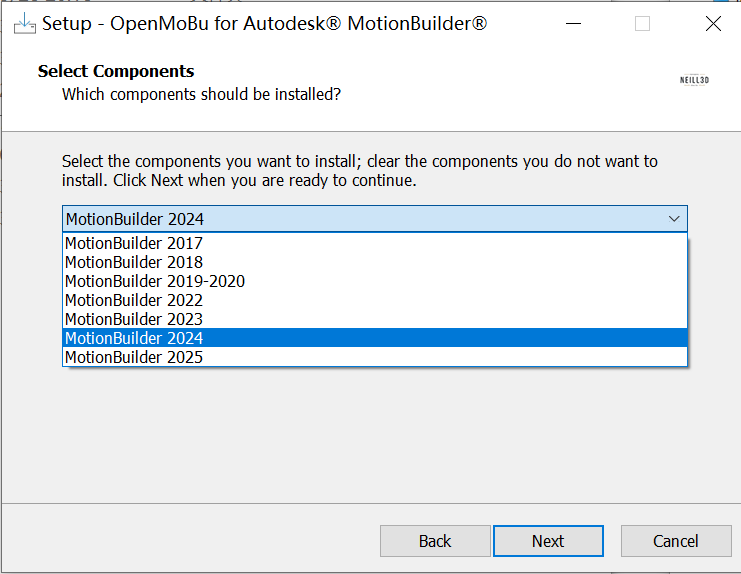
选择 你需要的 MB版本,每次只能安装到一个 MB版本中,如果需要支持多个 MB 中,需要多次安装。
如果你电脑上有多个 MB 版本就不要勾选 【Add to Path variable】添加到环境变量选项。
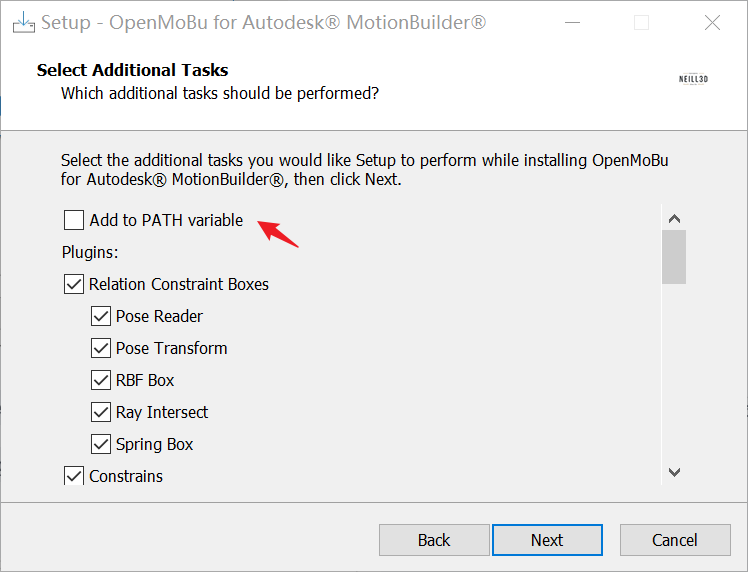
如果 你电脑只有一个MB版本,而且是支持 python3 的高版本 MB ,就可以把 安装的路径加入 环境变量中,也可以直接把 文件夹复制到 MB 的安装路径下

MOTIONBUILDER_PLUGIN_PATH   for plugins 用于插件
MOTIONBUILDER_PYTHON_STARTUP   for scripts脚本的
2
# 工具列表
下载过来的 exe 算是一个压缩文件,内有各种插件,脚本。下面是简单的各种工具的解释,具体使用说名,可直接查询项目文档,或者是找 案例 文件。
插件说明Plugins Overview | OpenMoBu (opens new window)脚本说明 Python Scripts Overview | OpenMoBu (opens new window)
# 2.1 插件Plugins
- relation box - Comet's poseReader ,用于矫正关节
- relation box - ray Intersect, sphere coords ,光线相交盒,球体坐标计算光线和网格之间的交点
- relation box - spring,弹簧动力学,二次运动
- relation box - RBF Interpolation ,RBF径向基函数节点,校正运动类型
- relation box - pose transform
- relation box - pose transform (starting from 2022)
- relation box - quaternion math 四元数数学
- device - virtual camera / remote control (project Tango tablet)
- device - Connection with OSC based facial stream (FaceCap iPhone App)
- constraint - attachment 锚点 (opens new window)
- constraint - driven 驱动绑定 (opens new window)
- constraint - twist rotation extraction (opens new window) 扭曲提取,常用手臂手腕
- manipulator - view camera locker (starting from 2017)
- manager - link camera and group visibility 相机管理 (opens new window)
- manager - auto interpolation patch (starting from 2017)
- manager - post processing (starting from 2017) 视口后处理 (opens new window)
- manager - references (starting from 2017) 引用参考管理
- renderer - render colors 渲染颜色,渲染层
- shader - super dynamic lighting 超级动态光照 (opens new window)
- shader - GPU particles 高级GUP粒子 (opens new window)
- texture - texture advanced blends 高级贴图混合 ,UV动画 (opens new window)
- fbx extension references (starting from 2017) FBX的参考引用管理 (opens new window)
- solver - auto compute normals 计算法线 (opens new window)
- tools - blendshape toolkit 变形器工具 (opens new window)
- misc - optical MoCap volume calculator
#
# 2.2 Animation 动画相关脚本
- CharTimeToZero.py 将动画移动到时间轴的开始(零)
- ComputeAccel.py 为选定的模型脚本计算位置加速度并写入“accel”属性
- CutLeft.py 从时间轴的开始到当前滑块时间剪切 TRS 关键点(适用于所有选定的模型)
- CutRight.py 从当前滑块时间到时间轴结束时剪切 TRS 关键点(适用于所有选定的模型)
- FinalizeOnSkeleton.py 在骨架上绘图并删除控制钻机
- MoveCharToZero.py 移动字符到世界原点
- ReCreateRig.py 在骨架上绘图,删除控制装备,创建新的控制装备并在其上绘制动画
- HardPlot.py 脚本,用于逐帧绘制选定的模型变换、评估场景和变形。这是在使用附件约束时需要的
- CreateHUDRectSlider.py 创建交互式 HUD 矩形滑块
- HUDextUI.py 为 HUDext 插件设置交互式 HUD 元素的工具
- HUDextUI.ui -用于 UIBuilder 工具的文件
- ConnectRelationNodes.py
- handlestart.py 使用名称“handle”设置空值,然后运行脚本,使 Handle 成为选定模式的枢轴点。
- handlefinish.py 删除 Handle 轴点(使用 Cockstart 创建)
- ComputeJointLength.py 为每个选定的模型创建一个“JointLength”属性,并写入到模型父模型的距离
- MakeCircle.py 脚本创建一个圆 3d 路径模型
# Lib
- libAdditiveAnimation.py 通过从另一个take中减去一个take来计算附加层的逻辑
- libReStructuring.py 逻辑,用于管理大规模场景重新生成和保持动画轨迹
- libUnitTests.py 管理批量场景测试和场景。制作屏幕截图、录制视频并写出性能计数器
# Tools 工具
- AdditiveAnimationTool.py
- ReStructuring2014.py libReStructuring 用户界面
- StayOnFloor_2013.py -用于保持 TRS 通道移动以避免脚滑动的工具
- renamer.py 扩展的重命名工具,适用于选定的模型
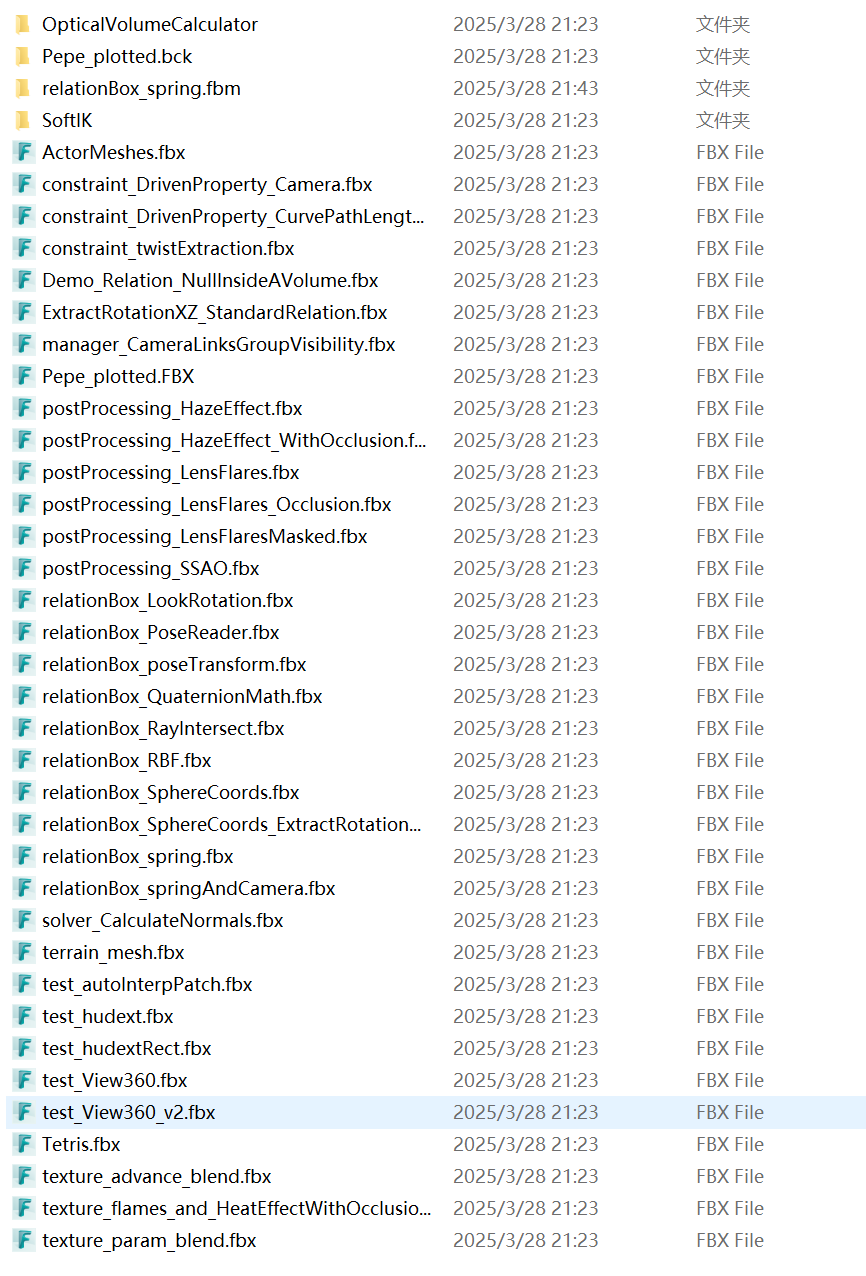
# 案例文件
下载 https://sundaybox.cc/DownloadContent/MotionBuilder/OpenMoBu_MB_Scenes.zip (opens new window)
# 错误纠正
因为集合内有太多工具,也需要兼容各种 MB 版本,所以难免有些 BUG,需要自行解决。
Traceback (most recent call last):
  File "D:\Program Files\Autodesk\MotionBuilder 2024\bin\config\PythonStartup\MBFileRefAdvanced.py", line 16, in <module>
    from PySide2 import QtWidgets, shiboken2
ImportError: cannot import name 'shiboken2' from 'PySide2' (D:\Program Files\Autodesk\MotionBuilder 2024\bin\x64\python\site-packages\PySide2\__init__.py)
2
3
4
from PySide2 import QtWidgets
import shiboken2
2
